We're happy to announce a new version of ProfExam Simulator, packed with improvements that make exam practice smoother, more flexible, and more accessible across platforms.
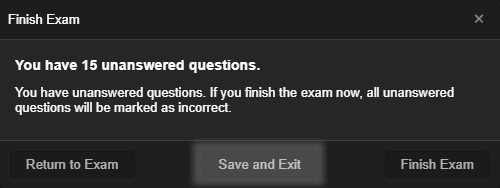
Improved Finish Test Dialog
Completing a test session now gives you more control. When you click the Finish Test button, a confirmation dialog appears - and crucially, you can now save an unfinished test directly from that dialog without losing your progress. Whether you're interrupted mid-exam or simply want to pause and continue later, your work is preserved.
Keyboard Shortcuts for Navigating Questions
Moving between questions just got faster. You can now use Alt + Left Arrow and Alt + Right Arrow to navigate questions during a test - no need to reach for the mouse. These shortcuts also work in the results review screen, so you can quickly flip through your answers after finishing a session.
Rich Text Formatting in Questions and Answers
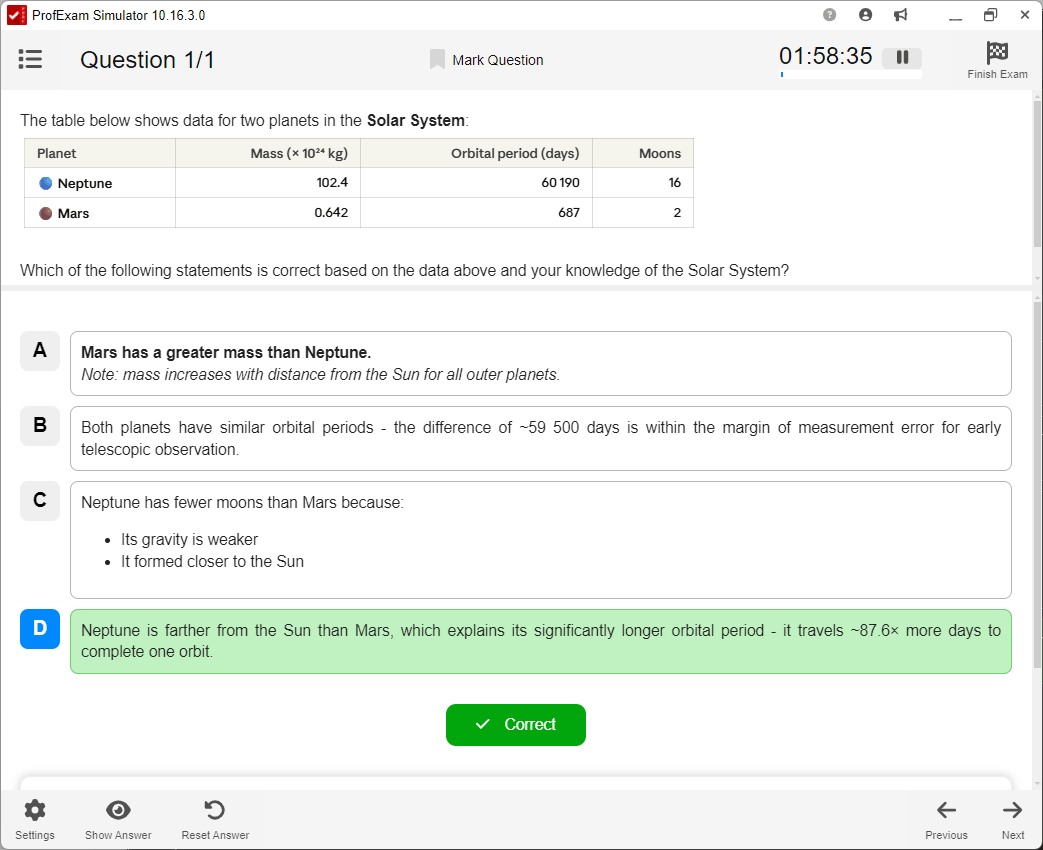
ProfExam Simulator now supports text formatting in question and answer content. Previously, all content was displayed as plain text. With this update, formatting such as bold, italic and other markup is rendered correctly - making complex technical questions significantly easier to read and understand.
Linux Package Now in .deb Format
Linux users will notice a change in how ProfExam Simulator is distributed. The application package has moved from AppImage to the standard .deb format, improving integration with Debian-based distributions (Ubuntu, Linux Mint, etc.) and making installation and updates more straightforward.
The new version is available now in the Downloads section.